Capacity Quote Tutorial English Version
Today Boss added new function into new
topics.
http://www.sorpack.com/dispbbs.asp?boardID=47&ID=1143859
Maybe all
people cannot see above post content.
This feature allows you to see your post content whom you want
to show.
Any other clan
members or people can not view your post content.
You can set it as
clan name such as Moon.Lords, you can also set only 1 member name such as
saloman(be sure you should write any clan name or member name in correct spell
as per forum such as moon.lords not working you should type correct case such
as Moon.Lords).
If you use name
saloman. Then only saloman can reply in post & see your post content. Other
people cannot reply in that post.
Boss will add it to
prevent irrigation. In this type of reply your cable currency or post will not
increase.
Now I will show you
how to use this function and how it’s work.
First go to open new topics.
 此主题相关图片如下: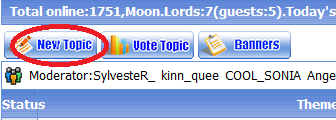
After that you can see different option in your
left side penal. Choose the last one
Capacity
Posts.
此主题相关图片如下: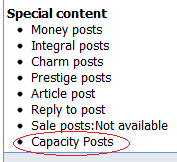
New dialog box will open enter there any member
name or clan name as I enter COOL_SONIA look like this.
此主题相关图片如下: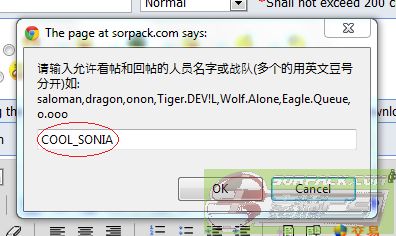
After add any member name or clan name click Ok.
Now your screen looks like this.
此主题相关图片如下: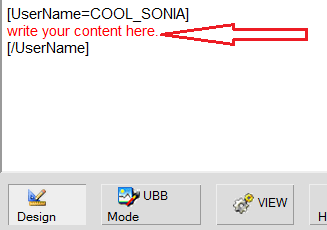
When your message done press submit button.
Done. Now only COOL_SONIA can reply and read the
post content. Your reply look like this.
此主题相关图片如下: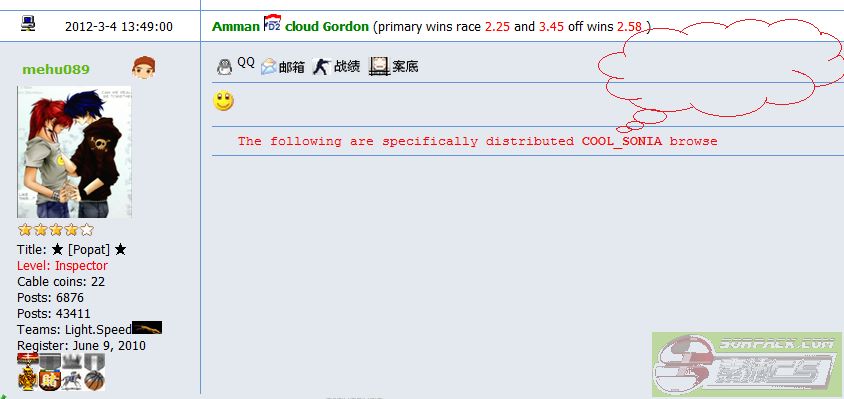
http://sorpack.com/dispbbs.asp?BoardID=51&ID=1144252&replyID=325425&skin=1
Hope this new function tutorial will help you
all.