


步驟如下:
Please follow the following steps:
1. 去你的 cs 目錄裡找圖片, 例如: c:\cs3647\cstrike\
open the folder (eg. c:\cs3647\cstrike\) to search the picture
2. 用 window的 小畫家 打開
open the required picture by "Paint"
 此主题相关图片如下: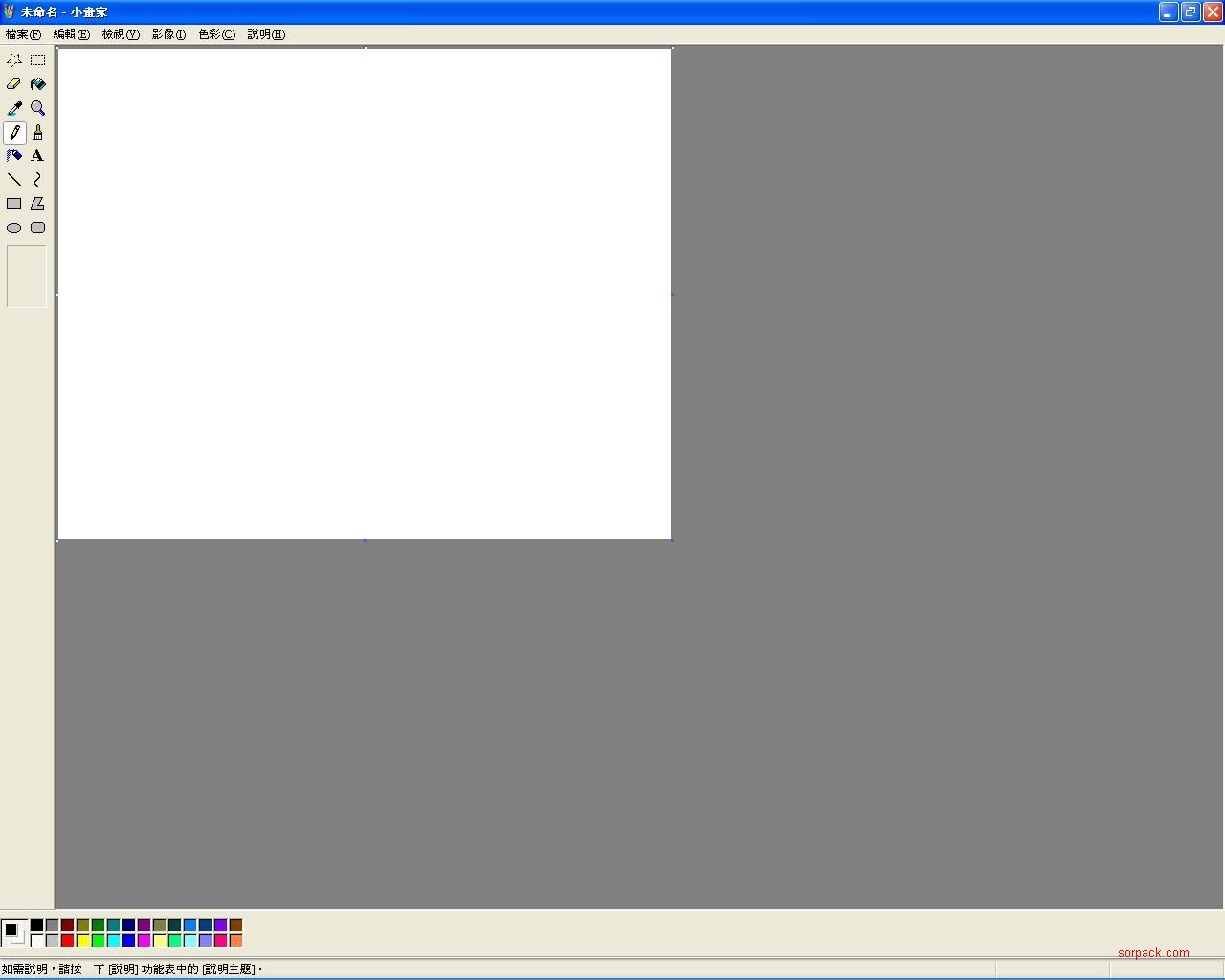
3. 然後另存為 jpeg
then, save the requited pic as jpeg format
此主题相关图片如下: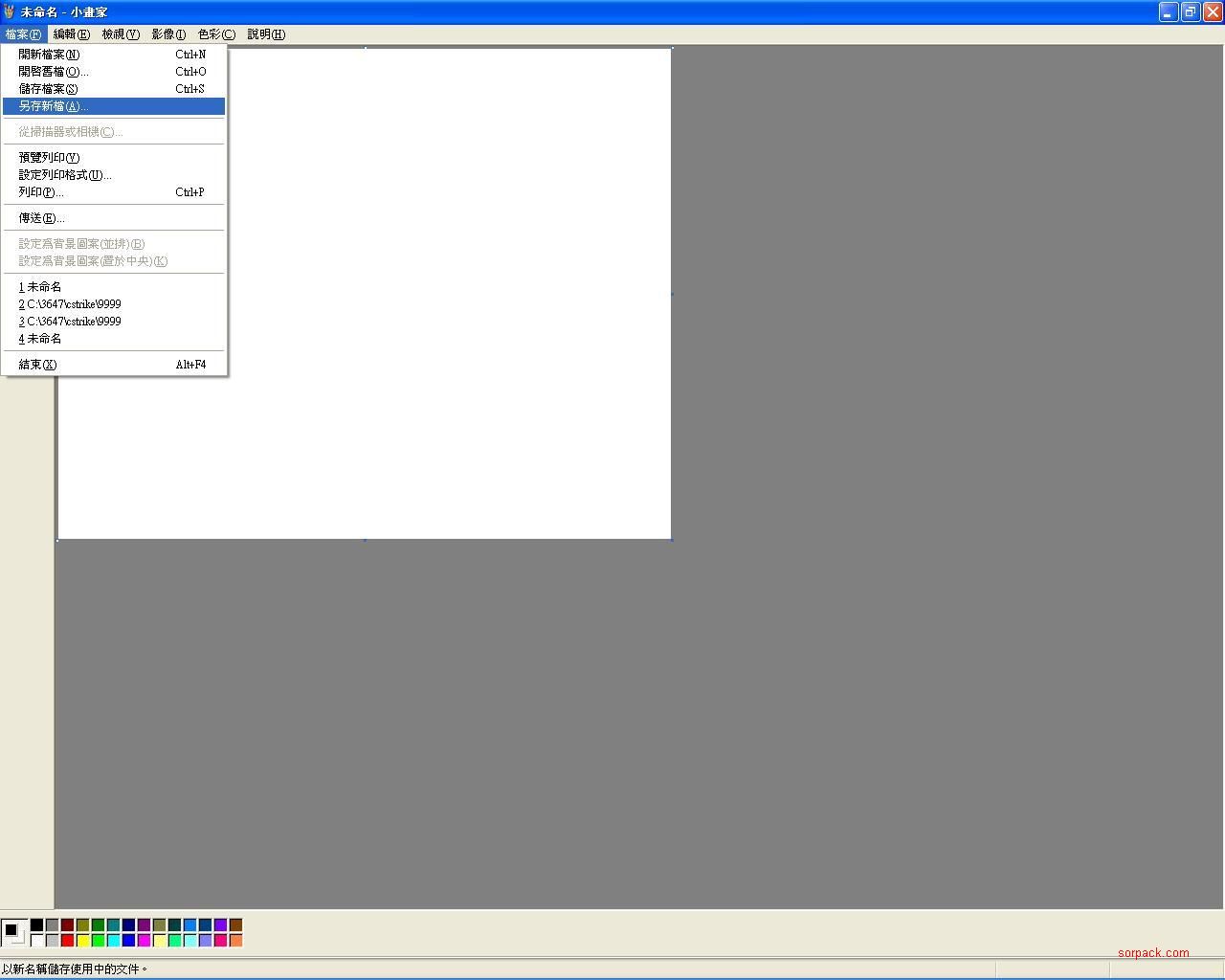
4. 如下圖
as follow"
此主题相关图片如下: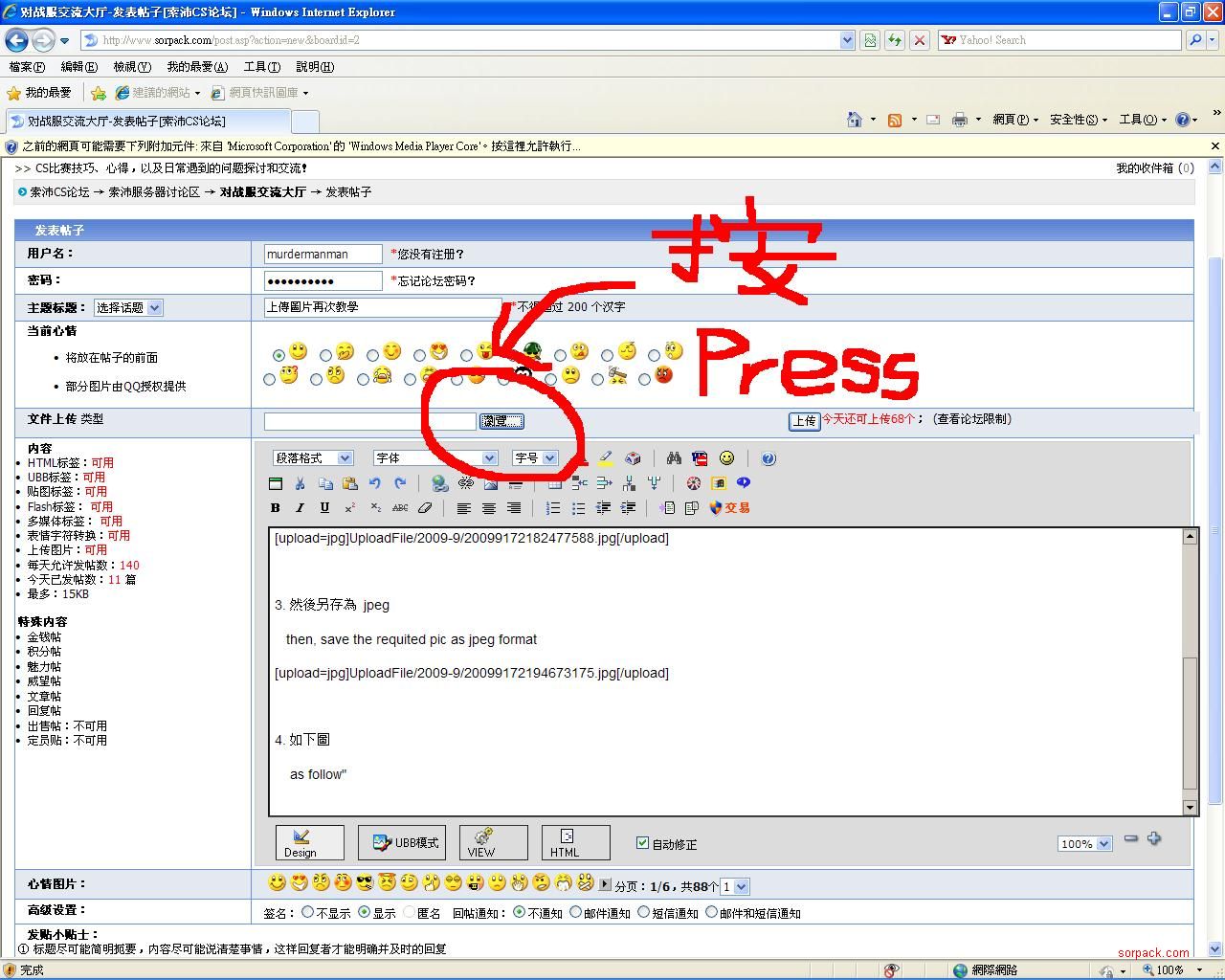
此主题相关图片如下: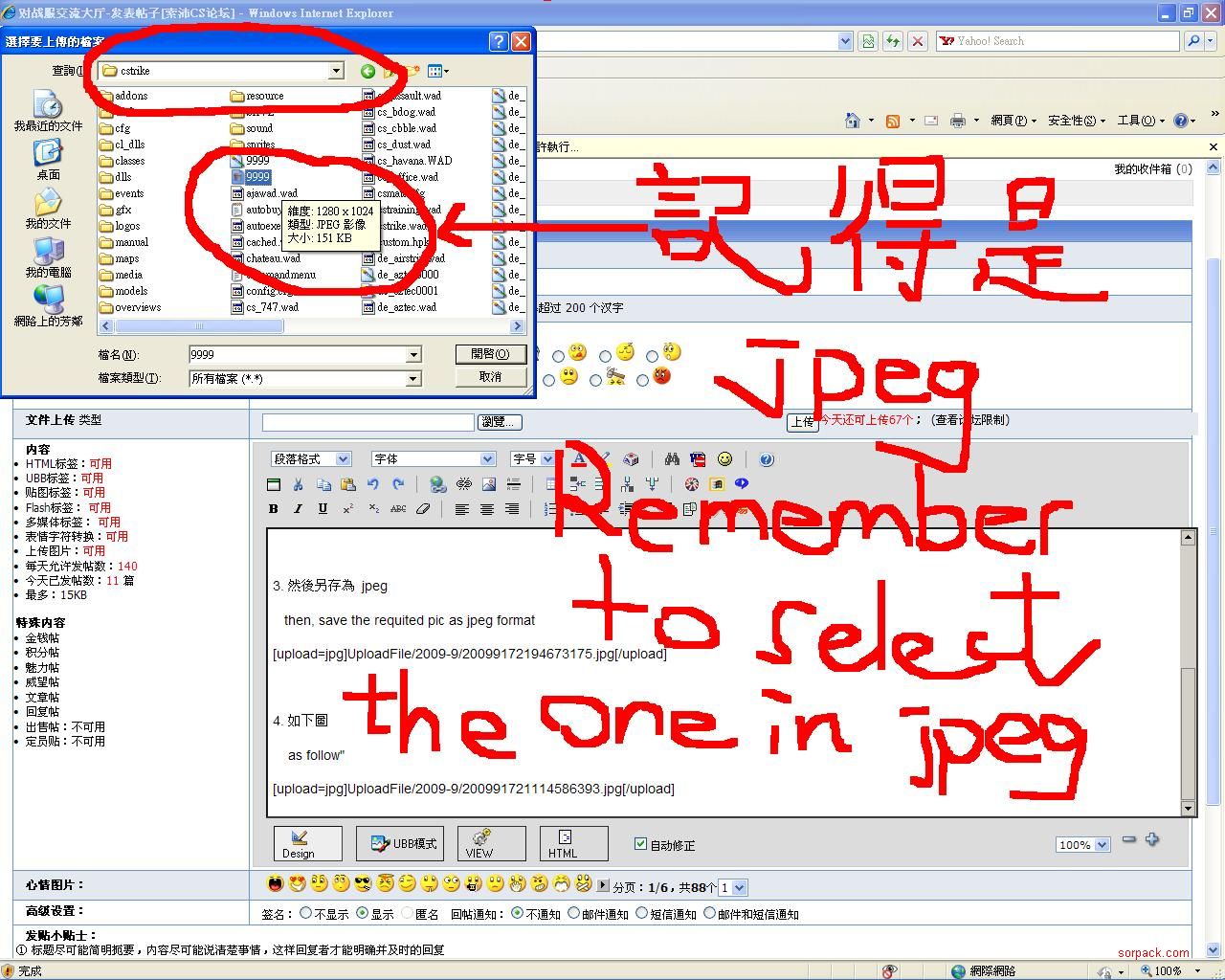 此主题相关图片如下: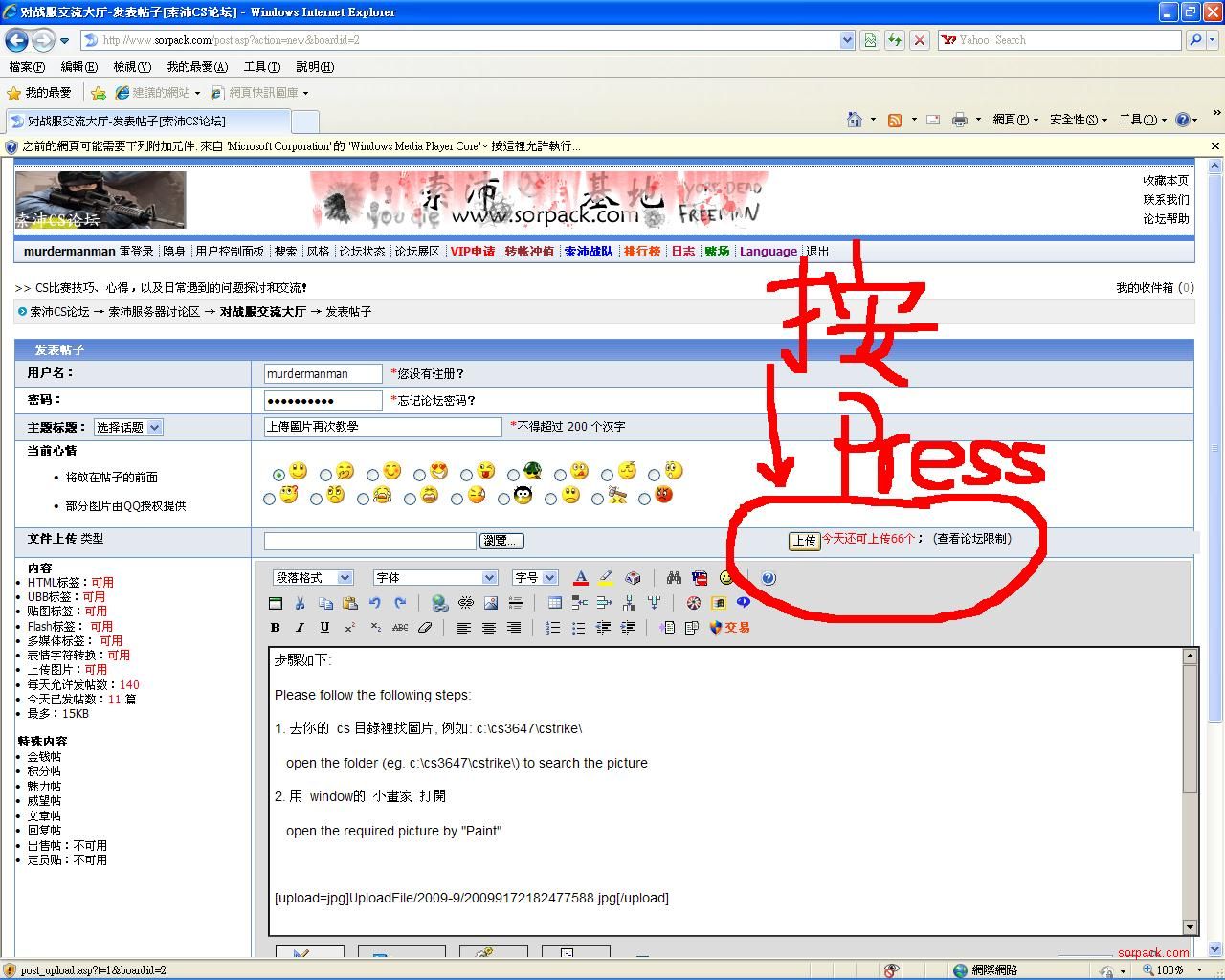
5. 再不明白, 唯有碰運氣了, 請將你的圖 email 給我, 我為你轉, 記得附上 遊戲 ID
if you still have problem, please send oyur pic to me and your game ID is required
Email: choimanman@yahoo.com


